Okta

Product overview

A face or a badge, in front of the Okta you already run.

OLOID registers in Okta as a third‑party OIDC identity provider. Frontline workers authenticate with something they carry rather than something they type, and Okta keeps the session, the policies and the audit trail exactly where they are.

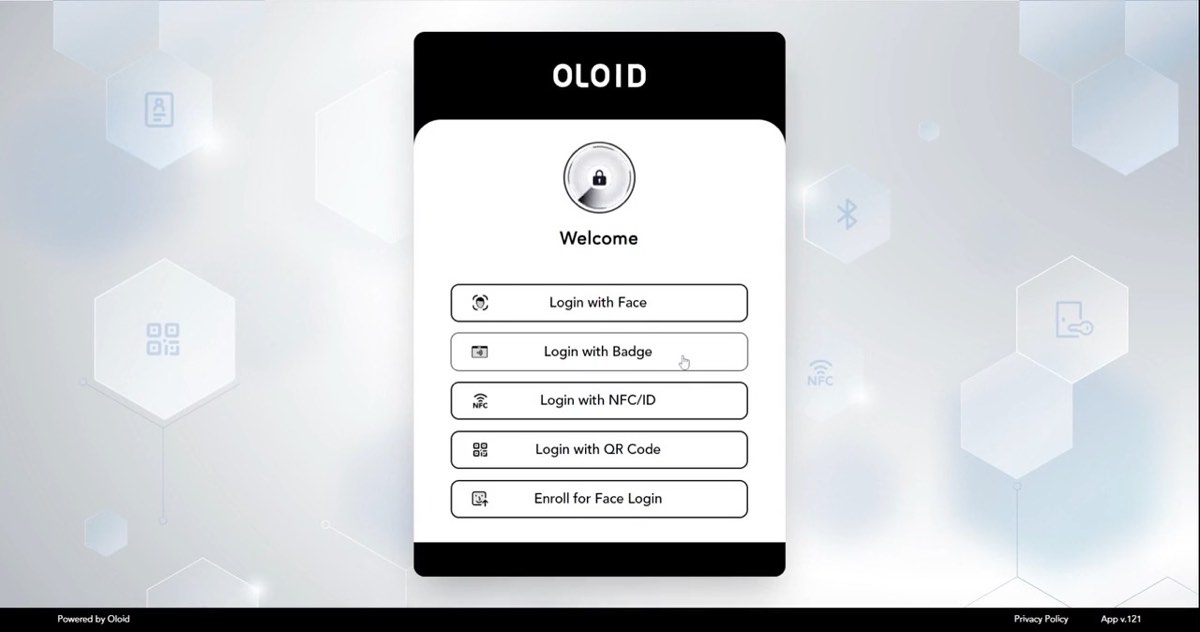
The OLOID sign-in panel offering Login with Face, Badge, NFC or ID, QR code, and an option to enrol a face.
01What the worker is shown once Okta routes them to OLOID.

How it is wired

An identity provider, added the ordinary way.

Nothing about the Okta org is re‑platformed. An administrator adds OLOID under Identity Providers as an OIDC provider, and a routing rule decides who is sent to it — typically a group of frontline staff, or the sign‑ins coming from shared devices. Everyone else continues to see the sign‑in they see today.

  • Standard OIDC. No agent in the authentication path and no custom sign‑in widget to maintain.
  • Routing can be scoped narrowly, so a pilot is a rule that matches one group.
  • Users are linked to the Okta account they already have, rather than a second directory appearing.
The exchange

What actually happens, end to end.

The worker sees a badge reader and a green tick. Underneath, it is an ordinary OIDC authorization code flow, with Okta as the authorization server throughout.

WORKERAt the endpointAPPLICATIONOkta-protectedOKTAAuthorization serverOLOIDOIDC identity provider01Opens the application02Redirected to sign inRouting rule matchesSend this user to OLOID03OIDC authorize requestPrompt for a factorFace, badge, NFC, QR or PIN04Present the factor05Face shown, badge tapped06Code, then an ID tokenLink to the Okta userThen evaluate policy07Session established08Inside the application
OLOID is a standard OIDC identity provider. Okta stays the authorization server and keeps the session.

Factors

What the worker actually presents.

An administrator decides which of these a given endpoint offers, so a nurses’ station and a packing line can run the same integration with different rules. Any of them can also sit second in a chain.

FaceCaptured by the camera already on the workstation or tablet.
BadgeThe same physical credential that already opens doors.
NFC / IDA tag, fob or card tapped at the reader.
QR codeShown from the worker’s phone, read by the camera.
PINFour, six or eight digits, alone or after another factor.

Policy

Okta still decides.

This is the question every security team asks first, and the answer is that nothing is bypassed. OLOID returns a verified identity; Okta then evaluates its global session policy and the application’s authentication policy exactly as it would for any other sign‑in. A rule that would have refused still refuses.

OLOID Identity returned OKTA STILL DECIDES Global session policy App authentication policy Group and network rules Device assurance Any of these can still refuse, or ask for more. APPLICATION Session granted
Authenticating through OLOID does not put a worker past Okta’s rules — it satisfies one of them.

Two placements

Or add OLOID as a factor instead.

Being the identity provider is one option. The other is to leave the existing sign‑in alone and register OLOID as an authenticator, so Okta calls it when a policy asks for that factor. That suits sites where the password is not the problem — the second step is, because it assumes a phone the worker does not carry onto the floor.

A — AS THE IDENTITY PROVIDER OLOID performs the sign-in A routing rule sends the worker out to OLOID, which returns a verified identity to Okta. Best where the worker has no password to type and no phone to reach for. Face · Badge · NFC/ID · QR · PIN B — AS AN AUTHENTICATOR OLOID is one factor among several Okta runs the sign-in and calls OLOID when a policy asks for that factor. Best where an existing sign-in stays in place and the second step is the hard part. Sits beside Okta Verify, FIDO2, and the rest
The two are not exclusive — a site can route kiosks through OLOID and offer it as a factor everywhere else.

Multi-factor

A second factor still gets asked for.

Where an application’s authentication policy requires multi‑factor, authenticating through OLOID satisfies the first factor — it does not stand in for the whole requirement. Okta continues to the second step and enforces it. For a high‑risk application that means the worker gets in fast and still proves themselves twice.

  • A policy demanding two factors keeps demanding two factors after OLOID is in place.
  • OLOID can supply the second one too — a PIN or a badge chained behind a face — so the phone stays out of it.
  • Step‑up on a sensitive application behaves as it does today, because Okta is the one asking.
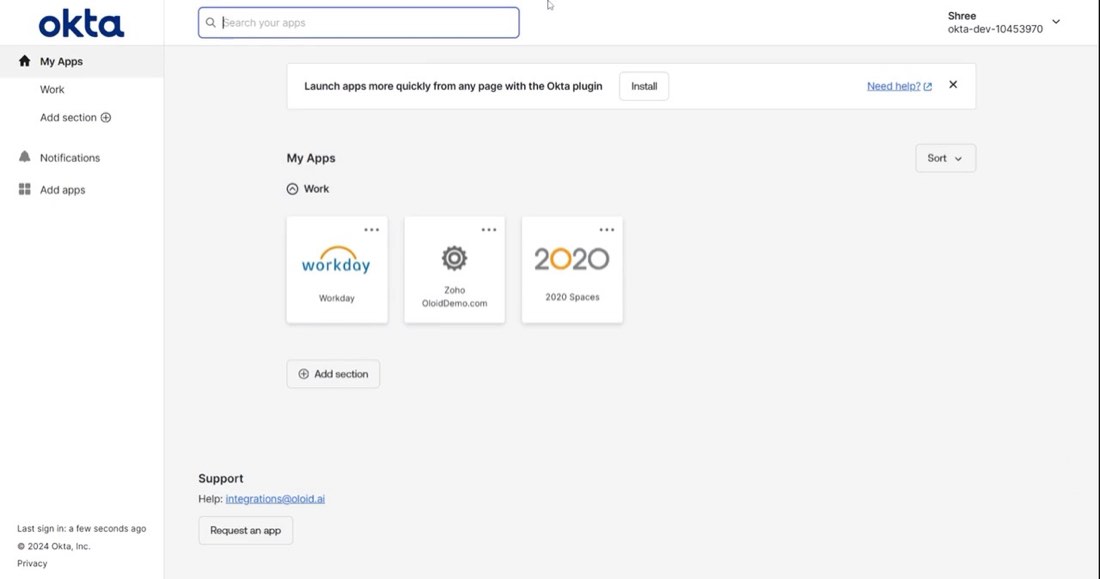
The Okta My Apps dashboard reached after signing in through OLOID, showing assigned applications.
02The other side of the badge tap: an ordinary Okta session, with the applications the worker is assigned.

See it running

Badge, face, and Okta on the other side.

The same integration reached from a browser, a Windows workstation and a handheld.

Web sign-in with a badge. A worker taps their badge at a shared workstation and arrives at their Okta dashboard, with no password typed.

Video loads only when you press play.

At a glance

What the integration is.

Registered asA third-party OIDC identity provider in the Okta org, or an authenticator alongside Okta’s own factors.
Who it applies toWhoever a routing rule matches — a group, or sign-ins from particular devices. Everyone else is untouched.
FactorsFace, physical badge, NFC tag or ID card, QR code from the worker’s phone, and PIN.
AccountsLinked to the worker’s existing Okta user. No second directory.
PolicyGlobal session policy and application authentication policies evaluate after OLOID returns, unchanged.
Multi-factorHonoured. OLOID satisfies a factor; Okta still enforces any further step the policy requires.
RelatedMicrosoft Entra ID and Ping Identity integrate the same way.